HoTeamSoft · Cloud-Native 3D CAD Platform

CrownCAD: Cloud-Native 3D CAD Capabilities for Collaborative Design

A technical guide to what CrownCAD's browser-based modeling, assembly, drawing, and collaboration tools do, why design teams use each one, and how they connect in a working CAD process.

Platform ClassCloud-native, browser-based 3D CAD
DeveloperHoTeamSoft (CrownCAD)
Core CapabilitiesParametric part/surface modeling, assembly design, 2D drawings, sheet metal & weldment
DeploymentFully cloud-hosted — no local software install
AccessAny device with a browser — desktop, laptop, tablet, phone
Overview

What CrownCAD actually is

CrownCAD is a cloud-native 3D CAD platform that GTECH ASIA supplies for mechanical design teams who want a collaborative, browser-based alternative to traditional desktop CAD. It is built on independently developed geometry modeling (DGM) and constraint-solving (DCS) technology, and it delivers parametric part design, assembly modeling, and 2D drawing generation entirely inside the browser rather than through a locally installed application. Nothing about the modeling logic is simplified to fit a browser — feature history, parametric editing, and constraint-based assembly work the same way they would in desktop CAD; what changes is where the computation and storage happen.

CrownCAD is a different kind of product from GTECH ASIA's simulation portfolio. Nastran, Marc, and similar tools are physics solvers that take finished geometry and predict how it will behave under load; CrownCAD is upstream of that — it's where the geometry itself gets created, assembled, and documented. A CrownCAD model doesn't come with an analysis capability built in; it comes with the modeling, collaboration, and documentation tooling a team needs before a design is ready to analyze, release, or manufacture.

Within GTECH ASIA's product lines, CrownCAD sits as its own portfolio, separate from the Cadence simulation suite (Nastran, Marc, Digimat) and from Aurora Systems' SI/PI tools. It is positioned specifically for teams that need distributed, multi-user access to the same live model — without provisioning CAD-class workstations or managing per-seat software installs across a site or a supply chain.

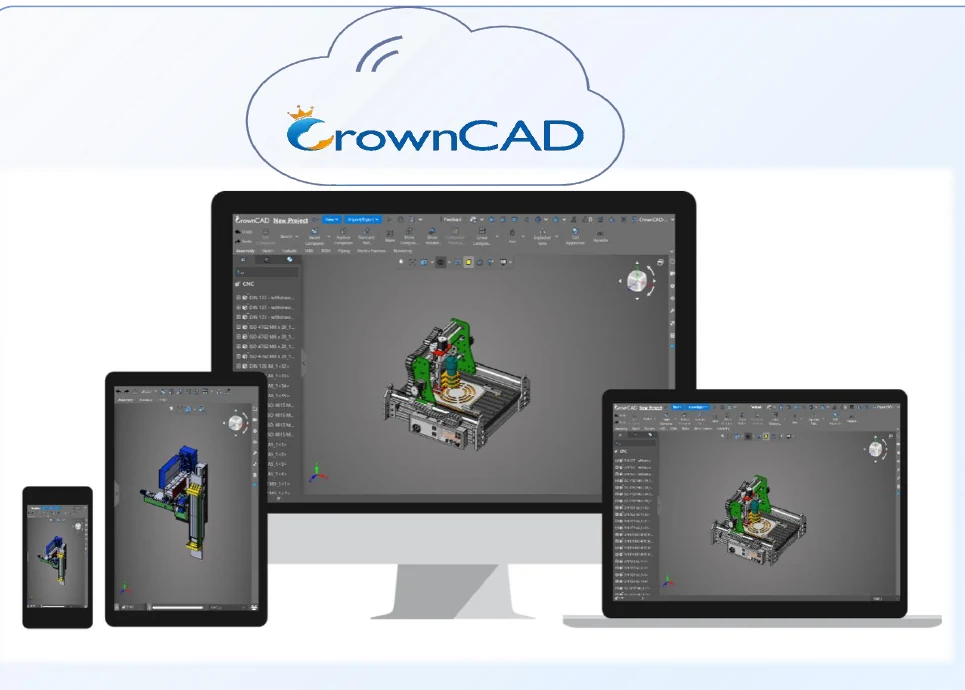
The same CrownCAD model open simultaneously on a desktop monitor, laptop, tablet, and phone
The same live model, open on desktop, laptop, tablet, and phone — CrownCAD runs entirely in the browser, with nothing installed locally.
Capabilities

Eight core capabilities, explained

Each capability below is a distinct function inside CrownCAD. For each one: what it solves, why design teams reach for it, the industries that depend on it most, the results it produces, and the design decisions those results are actually used to make.

CrownCAD part design screenshot showing a parametric solid model of a mechanical bracket
A feature-based parametric part model built entirely in the browser — sketches, extrudes, and fillets with full feature history.
01

Browser-Based Parametric Modeling

CrownCAD's part design environment is built on its DGM geometry modeling and DCS constraint-solving technology, delivering parametric solid modeling, surface/mesh modeling, and 3D annotation without a locally installed CAD kernel. Engineers build feature-based parts the way they would in desktop CAD — sketches, extrudes, fillets, patterns — with feature history retained so early parameters can be edited and the model regenerates downstream. Because the modeling engine runs server-side and renders in the browser, this works on any machine capable of running a modern browser, without licensing a workstation-class CAD seat or provisioning dedicated graphics hardware.

Typical Industries
Industrial machinery, parts & tooling, general mechanical component design.
Expected Outputs
Feature-based parametric solid/surface models, editable feature trees.
Design Decisions Enabled
Iterating part geometry and dimensions without rebuilding the model from scratch.
02

Real-Time Multi-User Collaboration

CrownCAD supports real-time multi-user co-editing, review, and approval on a shared model, rather than the single-owner, file-locking pattern of most desktop CAD. Integrated team management controls who can view, edit, or approve a given part or assembly, and a secure collaboration framework pairs access controls with multi-layered rollback so a change can be reviewed or reverted without losing prior states. Because updates are transmitted incrementally rather than as whole-file transfers, collaborators see changes reflected with low latency even across distributed locations — addressing the coordination overhead of emailing files or checking large assemblies in and out of a shared drive.

Typical Industries
Industrial machinery, parts & tooling, cross-site engineering programs.
Expected Outputs
Shared live model state, edit/approval history, access-controlled workspace.
Design Decisions Enabled
Reviewing and approving design changes as a team in real time rather than by sequential file handoff.
CrownCAD assembly design screenshot showing a multi-part mechanical assembly with feature tree
A constraint-based multi-part assembly with the feature tree visible — interference and clearance checks run against this same model.
03

Assembly Design & Management

Assembly design in CrownCAD supports constraint-based positioning of components, in-place editing of parts within the context of the assembly, and automatic interference and clearance detection to catch part-to-part conflicts before they reach manufacturing. A lightweight loading mode keeps large assemblies — the kind that would strain a local workstation's memory — responsive in the browser by loading only the geometry detail needed for the current view. This lets a team work with very large, multi-part assemblies without provisioning high-end local hardware just to open the model.

Typical Industries
Industrial machinery, automotive, parts & tooling, general mechanical assembly.
Expected Outputs
Constrained multi-part assembly models, interference/clearance reports.
Design Decisions Enabled
Confirming components fit and move as intended before physical prototyping.
04

Version History & Data Management

CrownCAD maintains a full edit history and version control for every model, letting a team trace how a part or assembly reached its current state and roll back to an earlier version if a change needs to be reversed. This is paired with access controls that govern who can edit or approve a given file — functioning as a lightweight product data management layer built into the CAD platform itself, rather than a separate PDM system a team has to license, install, and maintain alongside CAD.

Typical Industries
Industrial machinery, parts & tooling, any team running formal design review.
Expected Outputs
Version-tagged model history, access logs, restorable prior states.
Design Decisions Enabled
Auditing what changed between design iterations and reverting a change that introduced a problem.
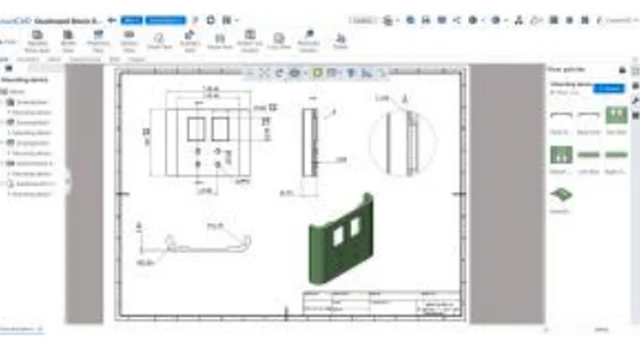
CrownCAD 2D drawing screenshot showing a dimensioned drawing sheet generated from a 3D part
A dimensioned 2D drawing sheet generated directly from the 3D model — drawing views stay synchronized as the model changes.
05

Drawing & Documentation Generation

CrownCAD generates 2D engineering drawings automatically from a part or assembly, with drawing views kept synchronized to the model so a downstream geometry change updates the drawing rather than leaving it stale. Custom annotation tools support the dimensioning, tolerancing, and callouts a manufacturing-ready drawing needs. Because drawing generation runs in the same browser environment as modeling, producing a release-ready drawing set doesn't require exporting into a separate desktop drafting application.

Typical Industries
Industrial machinery, parts & tooling, contract manufacturing and fabrication.
Expected Outputs
Model-synced 2D drawings, dimensioned and annotated drawing sheets.
Design Decisions Enabled
Releasing manufacturing documentation that stays current with the latest model revision.
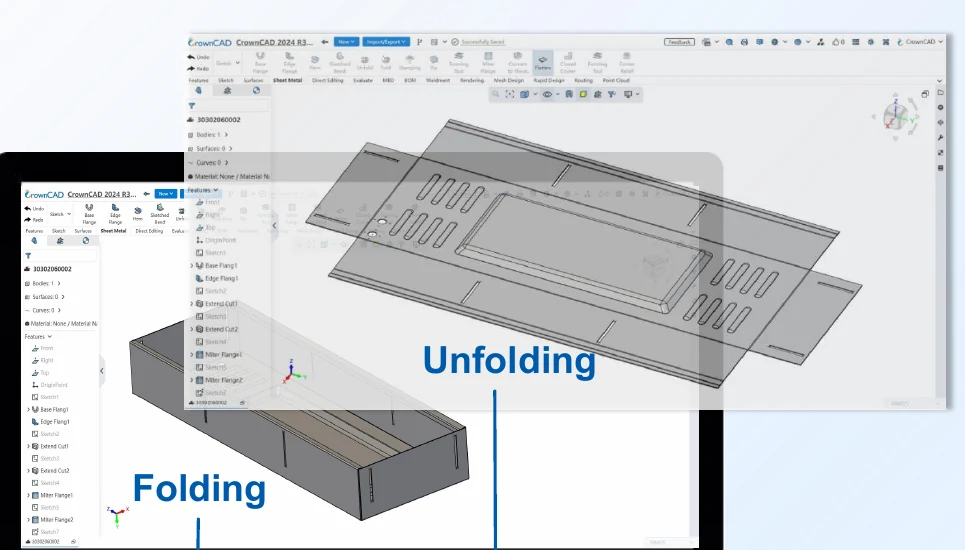
CrownCAD sheet metal design screenshot showing a flat unfolded pattern and the same part folded into its formed shape
A sheet metal part shown unfolded (flat pattern) and folded (formed shape) — rapid unfold/fold supports design-to-manufacturing communication.
06

Sheet Metal & Weldment Design Modules

Dedicated sheet metal and weldment modules extend CrownCAD's general parametric modeling to fabrication-specific geometry. Sheet metal tools create base and edge flanges, miter flanges, louvers, and stamped features, with rapid unfolding and folding between the formed and flat-pattern states to support design-to-manufacturing communication. Weldment tools draw on a structural component library of standard profiles, provide cutting/extension processing and one-step forming for gusset plates, end caps, and weld seams, and generate model-linked weldment cut lists in drawings for workshop material preparation.

Typical Industries
Industrial machinery, fabricated equipment frames, parts & tooling.
Expected Outputs
Flat-pattern and formed sheet metal models, welded frame assemblies, auto-updating cut lists.
Design Decisions Enabled
Specifying flange, bend, and weld-seam geometry a fabrication shop can build directly from the model.
07

Cross-Platform, No-Install Access

Because CrownCAD runs in the browser rather than as a locally installed application, engineers can design, review, or approve a model from a desktop, laptop, tablet, or phone without provisioning CAD-class hardware or managing software installs and updates across a team. This removes a layer of IT overhead — no per-seat installation, no local license file management, no dedicated graphics-card requirement — which is what makes it practical for a distributed or field-based team to interact with the same live model from wherever they are.

Typical Industries
Distributed engineering teams, field service and site review, cross-site programs.
Expected Outputs
Consistent model access across devices, no local install footprint.
Design Decisions Enabled
Reviewing or approving a design from the field or a non-CAD workstation without waiting to return to a desktop seat.
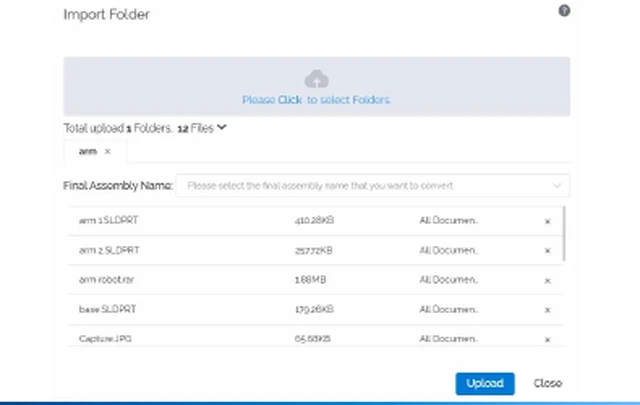
CrownCAD import folder dialog showing a multi-file batch upload of STEP and SOLIDWORKS format files
A multi-file import batch — parts, sub-assemblies, and drawings consolidate into a single named assembly on import.
08

File Interoperability & Data Exchange

CrownCAD is compatible with STEP, IGES, CATIA, UG/NX, Creo, SOLIDWORKS, and DWG formats, including their associated engineering drawings, so geometry created elsewhere in a supply chain — or handed off to a customer, supplier, or downstream analysis tool — doesn't need to be redrawn from scratch. An import workflow accepts multi-file batches (parts, sub-assemblies, and any relevant drawings) and consolidates them into a single named assembly on import, which matters for teams onboarding an existing model library rather than starting from a blank part.

Typical Industries
Parts & tooling, contract manufacturing, any multi-vendor supply chain.
Expected Outputs
Imported/exported neutral- and native-format geometry and drawings.
Design Decisions Enabled
Adopting CrownCAD without discarding an existing library of CAD data built in other systems.
Typical Workflow

How these capabilities connect in practice

A CrownCAD project moves from geometry creation through assembly, collaboration, and documentation to release — entirely in the browser.

Create or import geometry in the browser

Start a new part or import existing CAD data (STEP, IGES, or native formats from SOLIDWORKS, CATIA, UG/NX, or Creo) directly into the browser environment — no local install required.

Build parametric features

Construct or edit sketches, extrudes, fillets, and other features using CrownCAD's parametric solid, surface, or mesh modeling, with sheet metal or weldment tools applied where the part is fabricated rather than machined or molded.

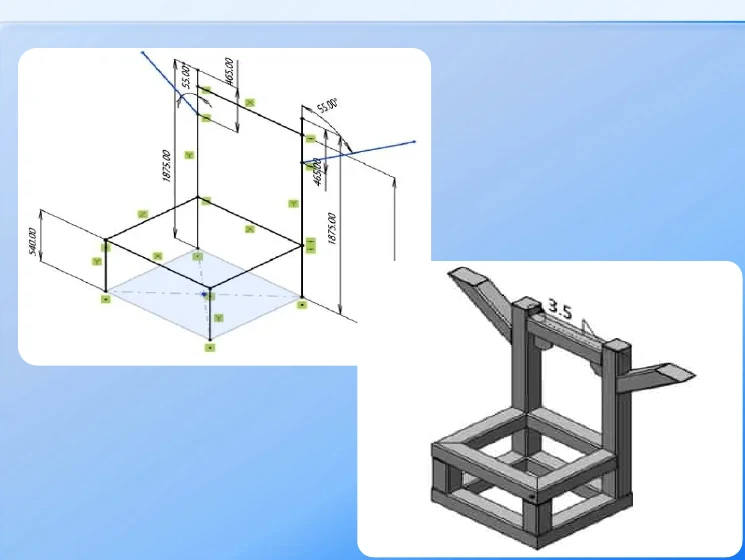
A dimensioned weldment frame sketch alongside the resulting 3D welded frame render
A weldment frame layout and its resulting 3D structure — the structural profile library and cut-list tooling apply at this stage for fabricated parts.

Assemble sub-components

Position parts with assembly constraints, edit components in-place, and run interference and clearance checks — using the lightweight loading mode to keep large, multi-part assemblies responsive.

Collaborate with the team in real time

Distributed team members view, co-edit, and review the same live model, with access-controlled roles governing who can edit or approve each part.

Generate drawings and documentation

Produce model-synced 2D drawings with custom annotation, dimensioning, and (for weldments) auto-updating cut lists, ready for release to manufacturing.

Manage versions and release

Track edit history, roll back a change if needed, and control access before the model and drawing set move to fabrication or to a downstream simulation tool.

Applications by Industry

Where these capabilities are put to work

Industrial Machinery

CrownCAD's assembly handling, interference checking, and sheet metal/weldment modules fit the day-to-day work of designing machine frames, fixtures, guarding, and tooling — assemblies with many interacting parts where clearance and fabrication detail both matter.

Consumer Products

Parametric part and surface modeling supports the fast, iterative geometry changes typical of consumer product development, where a design goes through many revisions before a shape is finalized for tooling or fabrication.

Distributed & Remote Engineering Teams

Real-time multi-user co-editing and any-device browser access are aimed directly at teams split across offices, sites, or home locations who need to work on the same model without shipping files back and forth or standing up a shared local server.

Startups & SMEs

Browser-based access with no local install and no per-seat workstation requirement lowers the up-front cost and IT overhead of adopting a full 3D CAD environment — relevant for smaller teams that need capable CAD without a large capital or IT commitment.

Interoperability

Where CrownCAD fits in a wider simulation stack

CrownCAD sits upstream of GTECH ASIA's simulation portfolio: it's where geometry is created and assembled, not where it's analyzed. A part or assembly built in CrownCAD is typically exported in STEP or IGES format for downstream use, since CrownCAD does not itself include finite element meshing or solver capability. That exported geometry is the practical route into a Nastran or Marc structural study, where the geometry is idealized into a mesh as the first step of the analysis. Because CrownCAD also reads and writes SOLIDWORKS, CATIA, UG/NX, and Creo formats, it can sit alongside a team's existing desktop CAD rather than replace it outright, which matters for organizations partway through a move to cloud-based design. It's worth being direct about the nature of this connection: unlike the tighter links inside GTECH ASIA's simulation stack — where, for example, Digimat passes calibrated material models straight into Nastran — CrownCAD's link to the rest of the portfolio is at the file-format and geometry level, not a native, bidirectional data connection.

Receives CrownCAD geometry via STEP or IGES export as the starting point for meshing and structural analysis.

Takes exported CrownCAD geometry as the starting model for nonlinear structural studies, idealized into a mesh in Marc.

Cloud-native geometry from CrownCAD can be brought directly into a Cradle CFD thermal model as part of the same design workflow.

A natural source of the assembly geometry and weld-seam definitions Simufact Welding consumes as input.

FAQ

Frequently asked technical questions

Does CrownCAD require any local installation or specific hardware to run?

No. CrownCAD runs entirely in the browser, and its lightweight loading mode for large assemblies is specifically designed to keep the platform responsive without a high-end local workstation or dedicated graphics hardware.

What CAD file formats does CrownCAD support for import and export?

STEP, IGES, CATIA, UG/NX, Creo, SOLIDWORKS, and DWG, including their associated engineering drawings — covering the formats most likely to already exist in a mechanical design supply chain.

How does CrownCAD prevent two engineers from overwriting each other's work on the same model?

Real-time co-editing is governed by access controls that define who can view, edit, or approve a given part or assembly, and a multi-layered rollback mechanism lets a team recover a prior state if a conflicting or mistaken change is made.

Can a CrownCAD model be used directly for finite element analysis in Nastran or Marc?

Not as a native, in-platform link — CrownCAD doesn't include meshing or solver capability itself. Geometry is exported in a neutral format such as STEP or IGES and then idealized into a mesh in the CAE tool, the same handoff used with most CAD-to-CAE workflows.

Does CrownCAD handle large assemblies without a high-end local workstation?

Yes, through a lightweight loading mode that loads only the geometry detail needed for the current view rather than the full assembly at full resolution, which is what makes very large, multi-part assemblies workable inside a browser.

Does CrownCAD support fabrication-specific modeling like sheet metal and welded structures, or only generic solids?

Both. Dedicated sheet metal and weldment modules sit alongside general parametric solid modeling, covering flange and flat-pattern geometry, structural profile libraries, weld-seam forming, and auto-updating cut lists for fabrication.

GTECH ASIA supplies and supports CrownCAD licensing for design teams across Malaysia and Southeast Asia, with HRD Corp certified training available for teams adopting cloud-native CAD workflows.